




Menu
Your Cart

Arducam 2 MP Mini Module Camera Shield with OV2640 Lens for Arduino

Arducam 2 MP Mini Module Camera Shield with OV2640 Lens for Arduino
₹2,749.00
Ex GST: ₹2,329.66
  • Stock: In Stock
  • Model: 8524
  • SKU: SAT2686
  • Location: India

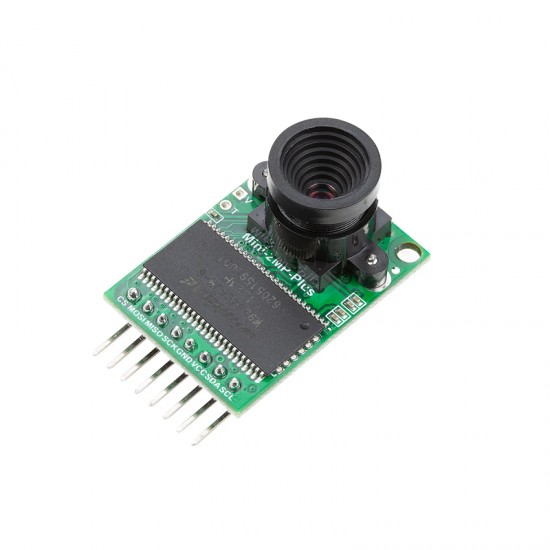
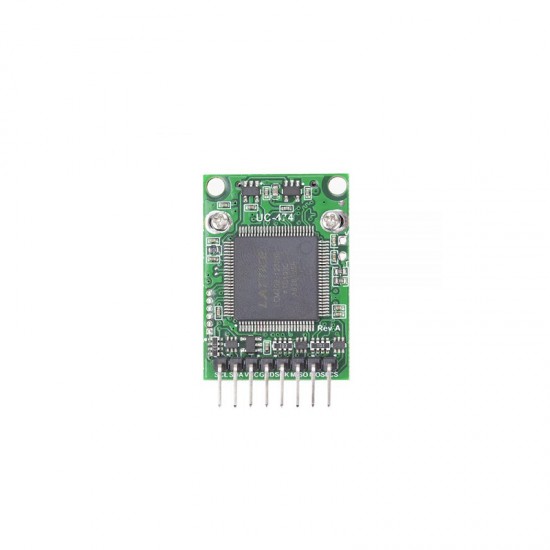
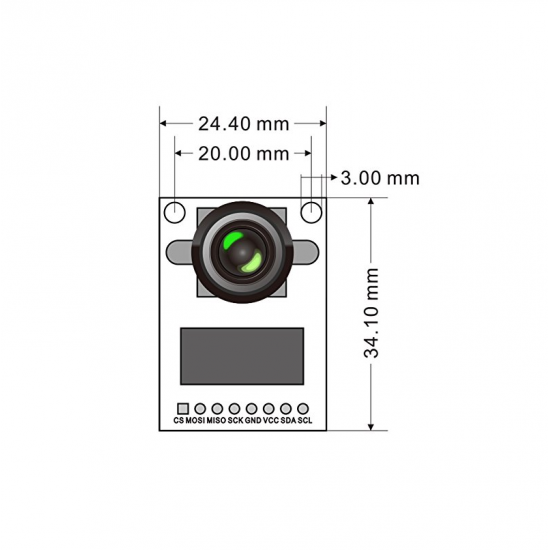
Arducam Mini Module Camera Shield with OV2640 and is a high definition 2MP SPI camera, which reduces the complexity of the camera control interface. It integrates 2MP CMOS image sensor OV2640 and provides miniature size, as well as the easy to use hardware interface and open source code library.

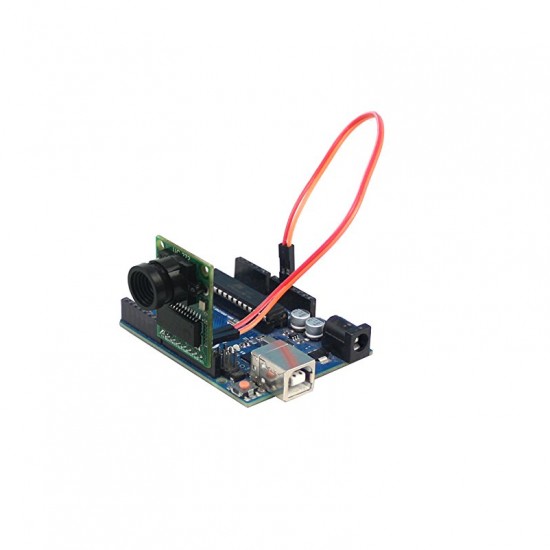
The ArduCAM mini can be used in any platforms like Arduino, Raspberry Pi, Maple, Chip kit, Beaglebone black, as long as they have SPI and I2C interface and can be well mated with standard Arduino boards. ArduCAM mini not only offers the capability to add a camera interface which doesn’t have in some low-cost microcontrollers but also provides the capability to add multiple cameras to a single microcontroller.


Download link:

To use this camera, it is necessary to do hardware and software setup. To do  both, please follow the instructions given in the link .

This camera also works with Arduino.  First you need to add the ArduCAM folder in arduino. You need to add the arducam in arduino. To do that, go to the link .  Click on Code. Copy the link and paste it to “Preferences” option which is in File menu of arduino IDE.  Also download the zip file. Unzip it and paste it to your Libraries folder of arduino IDE.

After that you need to program  and access the camera. To do that, follow the procedure given in this link .

In that link ,  follow the  “Quick Start Guide”  section. If you want to know more about ” example sketches, then you can refer the link .


Application:

  • IoT cameras
  • Robot cameras
  • Wildlife cameras
  • Other battery-powered products
  • Can be used in MCU, Raspberry Pi, ARM, DSP, FPGA platforms


Features:

  • 2MP image sensor OV2640
  • M12 mount or CS-mount lens holder with changeable lens options
  • IR sensitive with proper lens combination
  • I2C interface for the sensor configuration
  • SPI interface for camera commands and data stream
  • All IO ports are 5V/3.3V tolerant
  • Support JPEG compression mode, single and multiple shoot mode, one-time capture multiple read operation, burst read operation, low power mode and etc.
  • Well mated with standard Arduino boards


Package Includes:

1 x Arducam 2 MP Mini Module Camera Shield with OV2640 Lens for Arduino

6 Months Warranty

This item is covered with a supplier warranty of 6 months from the time of delivery against manufacturing defects only. This is a quality product from the original manufacturer. Only manufacturing defects are covered under this warranty. Reimbursement or replacement will be done against manufacturing defects.

What voids the warranty:

If the product is subject to misuse, tampering, static discharge, accident, water or fire damage, use of chemicals & soldered or altered in any way.

What is Customer Question & Answers?

Customer Questions & Answers allows you to connect with supplier to ask or answer questions about products. You can ask questions about a product or use your own expertise to answer other customers' questions.

What should I ask?

Ask questions specific to the product. This is a great opportunity to get feedback from other customers who have experience with the product. Ask a question that will capture this experience. For example:

  • Does this raspberry pi camera take good quality pictures in low light?
  • How long does the battery last, while flying quadcopter?
  • Does this robotic kit includes with batterys?

How should I ask?

[Click Here to ask]

Write a review

Please login or register to review